SensorsTargeting pod
Targeting pod
The targeting pod is a gimballed thermal and TV camera you work from the cockpit display. Point it at an area, track a vehicle or a building, and use its laser to read the range and mark the target for a laser-guided weapon.
Thermal and TV on the cockpit display
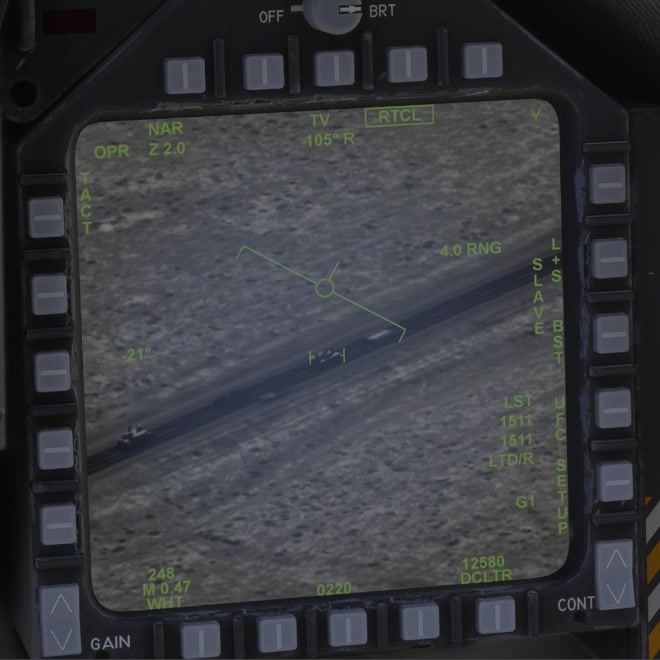
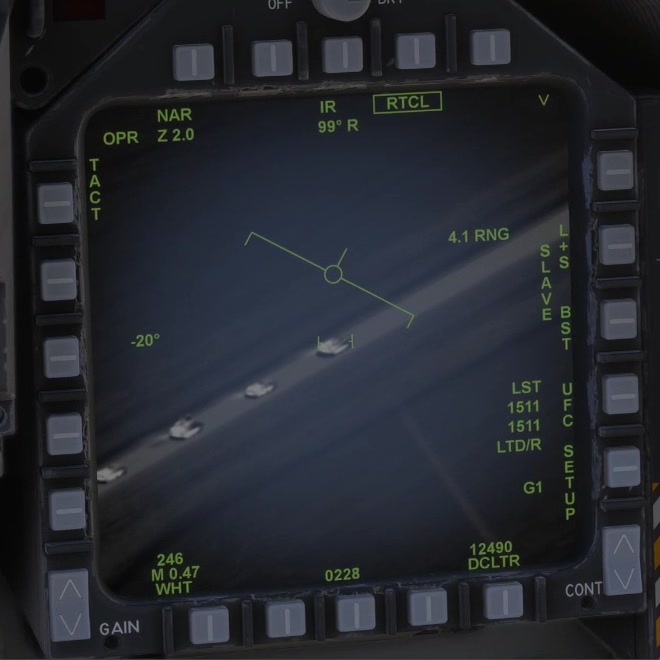
The pod appears on the F/A-18E's display with its own symbology. Switch between the TV and thermal channels, and between white-hot and black-hot, until the target stands out from its background. Hardpoint renders the picture from the terrain and buildings under the aircraft, and vehicles show hot against the ground in the thermal channel.
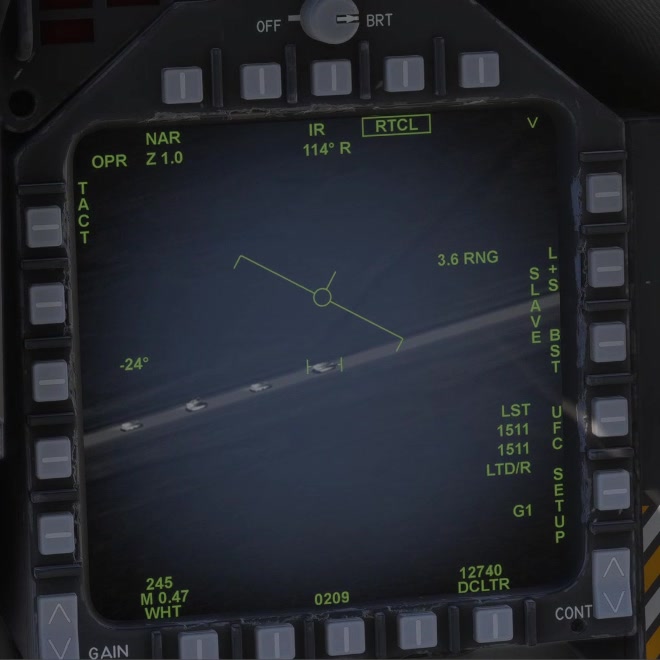
Slew, zoom and track
You work the pod with the aircraft's own sensor controls. Slew the line of sight to the area you want and step from the wide field of view to the narrow one. Point track then holds the pod on the target while you maneuver.
Laser designation and ranging
With a target in track, fire the laser to designate it and read its range. Laser-guided weapons such as the GBU-12 steer to the laser spot from your own pod or another aircraft's, so keep the target lased until impact.
Older and modern pods
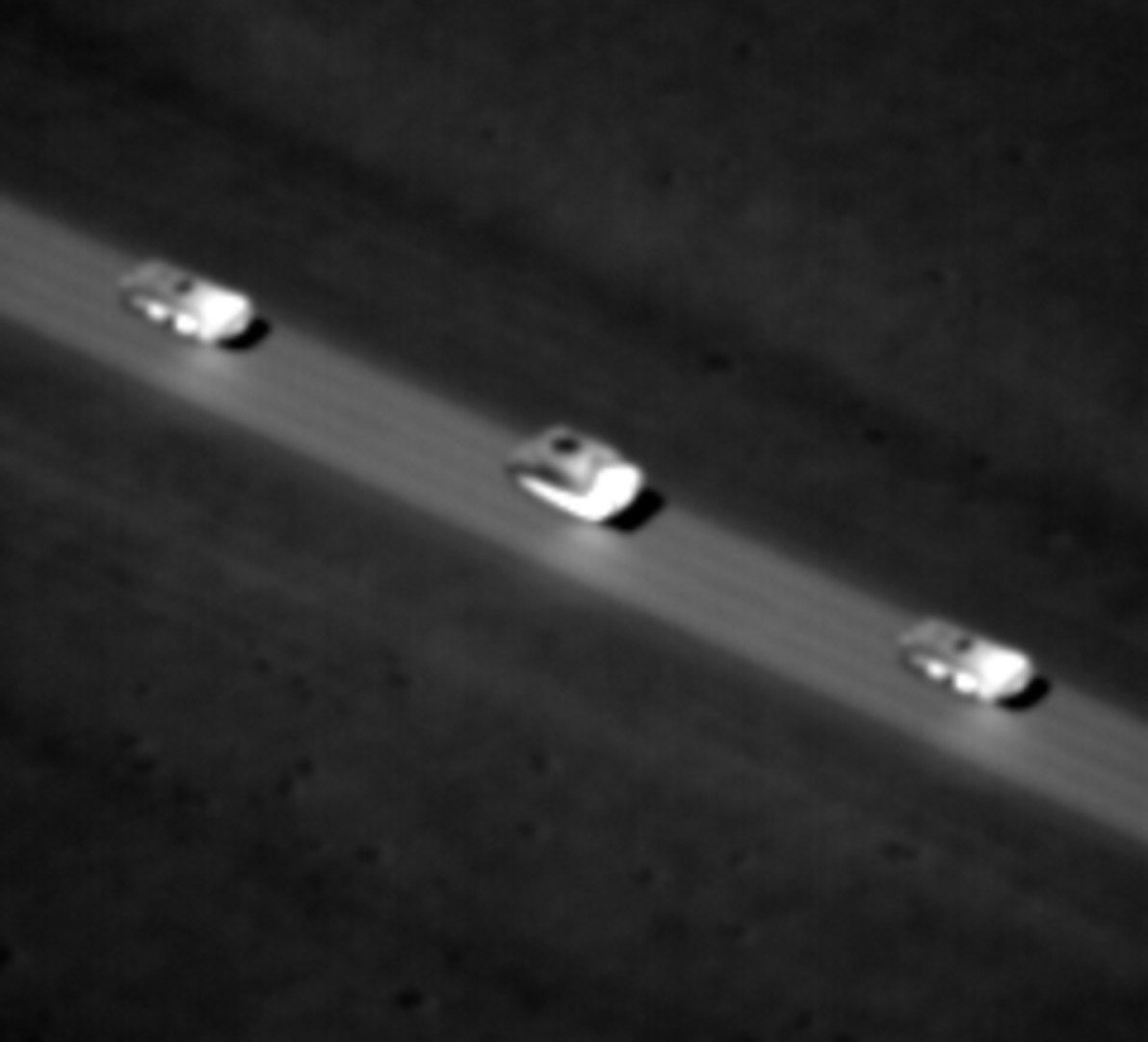
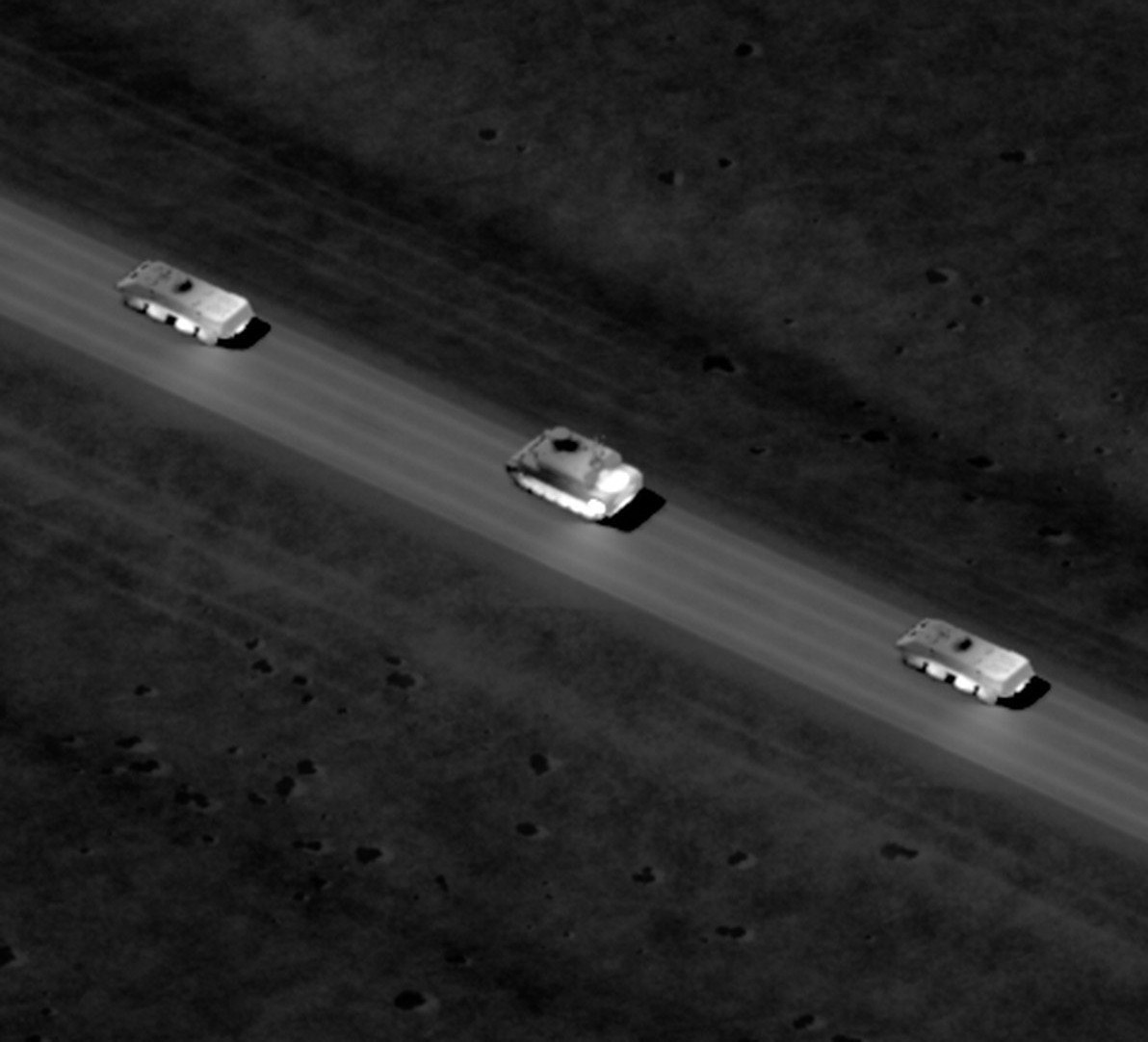
A sensor profile sets the sharpness, noise and contrast of the picture. An older pod gives a softer, noisier picture, and a modern pod shows the same scene in sharp detail.