SensorsAir-to-air radar
Air-to-air radar
Hardpoint adds an air-to-air radar to MSFS 2024. It searches the sky with a scanning beam, detects aircraft from the energy they reflect, and tracks them so you can lock a target and employ weapons against it. Whether an aircraft shows up depends on its range, its size on radar, the angle you see it from and the terrain between you. Stealth aircraft are hard to find, and a ridge hides whatever flies behind it. A target that turns across your nose can break your lock.
Detection from the radar beam
Most radar add-ons for MSFS show every aircraft at any range, even one behind a mountain. In Hardpoint the display shows only what your radar finds, so an aircraft outside the sky you scan stays off it.
Other MSFS radar add-ons
Read each aircraft’s position from the sim
The add-on reads each aircraft’s position from the simulator and draws a symbol there. Nothing is sent or received.
Hardpoint
Simulates the radar
The radar sends a beam and listens for the echo. A contact appears only when enough of the beam comes back.
Search and track modes
Set scan width, bar count and antenna tilt to cover the sky you care about. In range-while-search (RWS) the radar sweeps that volume and shows each contact as a brick at its range and bearing, and the brick fades until the beam crosses that aircraft again. Track-while-scan (TWS) keeps the sweep going and holds a track on every aircraft it sees, drawn as a symbol with its rank and heading. Slew the cursor over a track and lock it, and single-target track holds the antenna on that aircraft and passes its range and closing speed to your weapons.
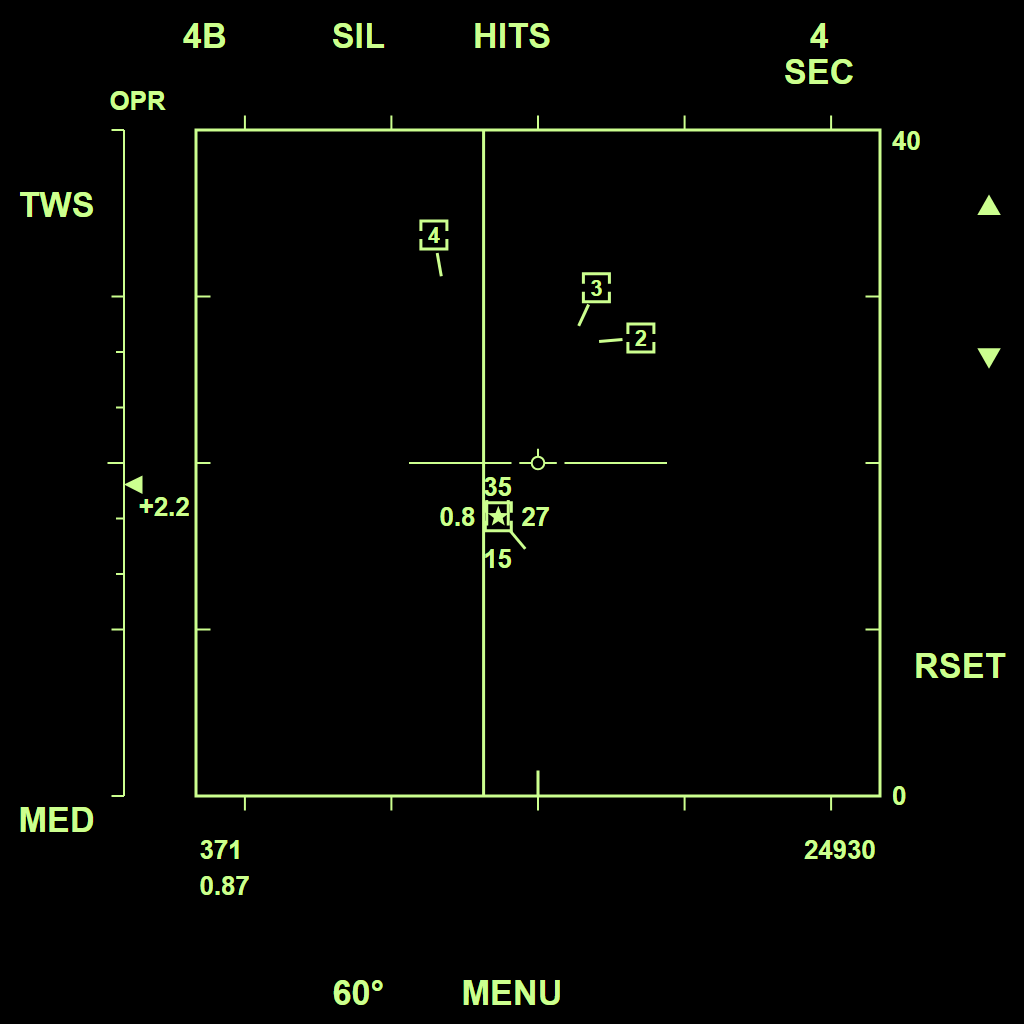
- Range-while-search
- Track-while-scan
- Single-target track
Stealth and radar signature
Every aircraft type has its own radar signature, and it changes with the angle you see it from. A B-52 shows up well before a fighter does. Weapons and tanks carried outside the airframe add to an aircraft's signature.
Other MSFS radar add-ons
Read each aircraft’s position from the sim
Each aircraft is a position in the simulator. Size and shape make no difference, so all three get the same symbol.
Hardpoint
Simulates the radar
A larger aircraft reflects more of the beam. A B-2 reflects very little, so the radar detects it only at short range.
Terrain and look-down
Terrain blocks the beam, so an aircraft behind a ridge stays hidden until it climbs clear. Looking down, the radar picks aircraft out of the ground return by their closing speed, and a target that flies across the beam can break the lock.
The radar sees only what it has a clear line to. Fly low behind the ridge and you stay in its shadow. Climb above the line over the crest and the radar sees you.
One model for every radar
Each radar is a data file. The same model runs a mechanically scanned dish with its slower sweep and an electronically scanned array that searches and tracks at the same time, so an aircraft gets the radar it carries.
Radar in the SDK
Aircraft developers get the radar through the Hardpoint SDK. Put the complete radar page on a cockpit display, or take the detections and tracks and draw your own page. Your code picks the weapon and the target.